Filtering Employees
UX & Product Design
August 2021 - November 2021
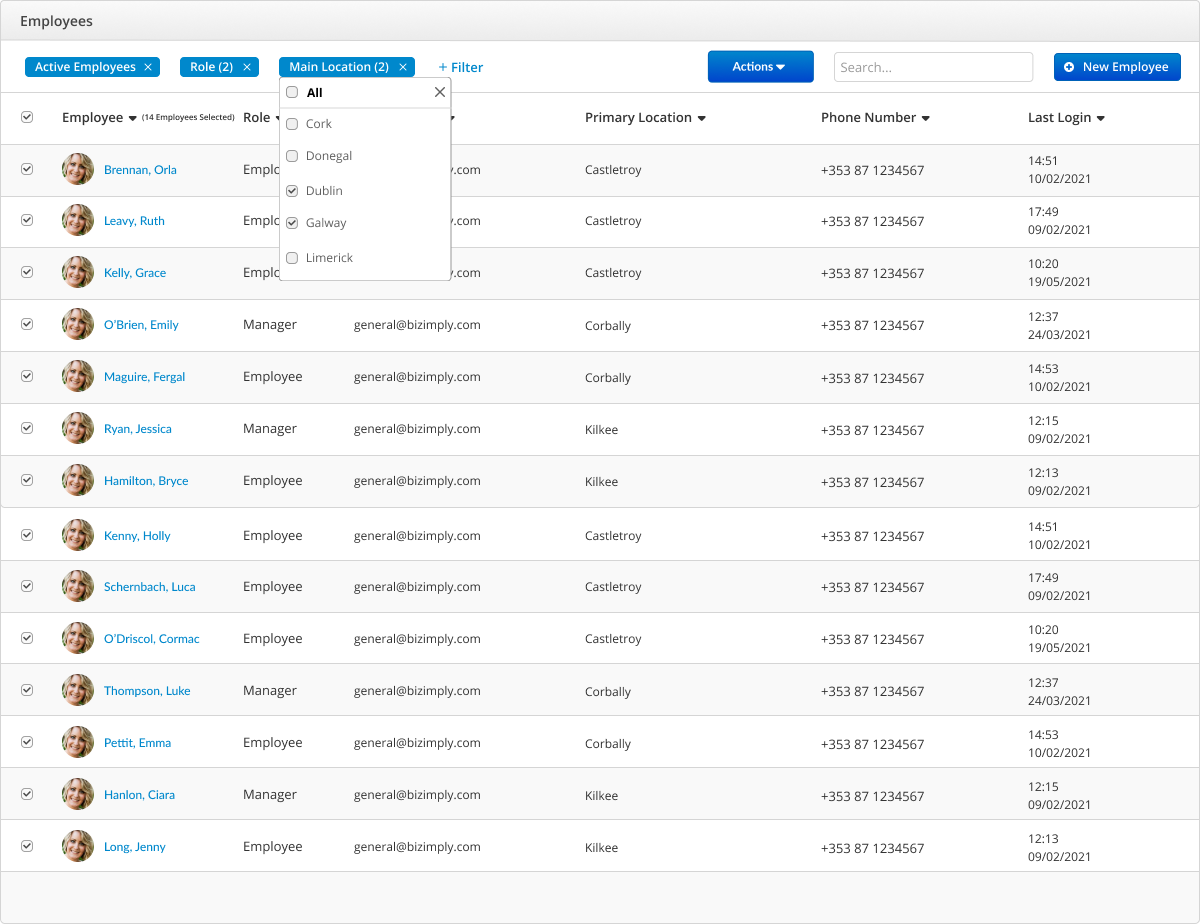
The current feature was built for one task: to display a list of employees in various locations. However, I learned that customers were frequently exporting this employee list as a CSV file to filter the data outside of Bizimply. Filters are a great tool to narrow down high volumes of content and surface the most relevant results - I made this my number 1 priority when redesigning the feature.
I began my research by investigating into the customer’s filtering and sorting patterns. I spoke with several customers and created user personas where I started to uncover category-specific parameters. The user interviews showed that the customers could not make decisions based on a single data point so it made sense to allow for multiple filters to be selected at once.
My final design featured the selected filters in a horizontal toolbar, giving users a quick way to check currently applied filters, and an easy way to unselect multiple filters at once. The redesign allowed users to manipulate their employee lists within Bizimply to understand the most their employees across multiple locations.
Mandatory fields when creating a new employee
UX & Product Design
November 2021 - December 2021
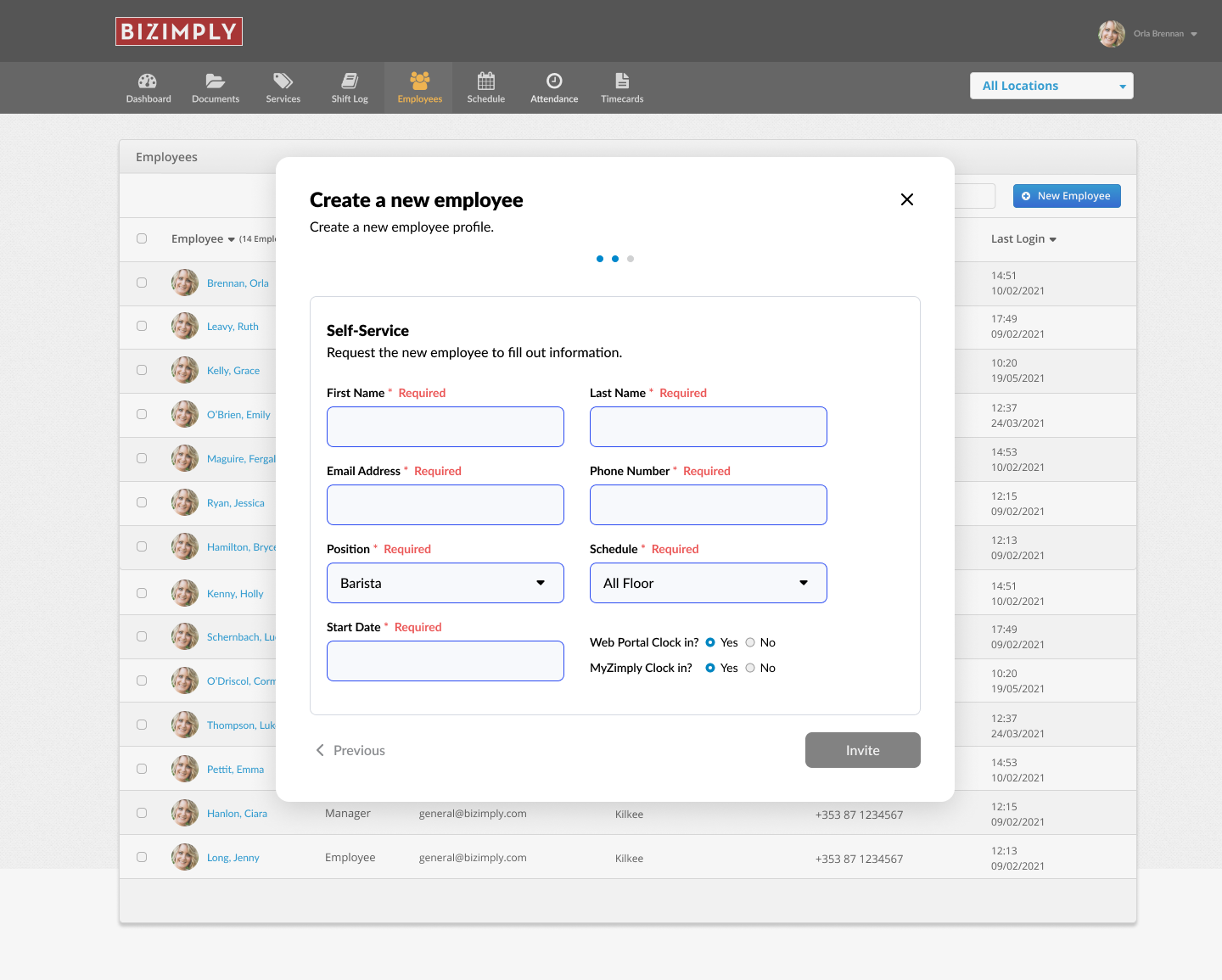
Adding a single employee to Bizimply is a lengthly process and often a new employee profile is created but important information is left out. We learned that managers found the information architecture overwhelming and time consuming, and wouldn’t full finish creating an employee. We decided to reevaluate how managers create new employees in the system by introducing a modal that would overlay the main employee list and ensure the users takes the minimum actions to create a new employee.
I began this project by researching modals and mandatory fields finding that the way to mark fields can have strong implications for how users perceive and complete forms. My next question was “how do you make forms not look like toilet paper?” which was critical because as a designer, often it happens that the demand for the form comes from the stakeholder. There are times where you are being asked to make a form with 40 fields and what do you do in this situation? The only way to collect information from the user is to be transparent and thoughtful: don’t ask users to provide useless information which they might not even know.
The final design features a manual or "self-service" option when creating a new employee. The managers can create a new employee by manually inputting the information in a much shorter manner or invite the new employee to input their profile information themselves.